context
india's ageing population is growing fast, bringing rising chronic illness, mobility challenges, and fall risk. these erode older adults' independence and heighten anxiety for families and caregivers when help isn't always at hand.
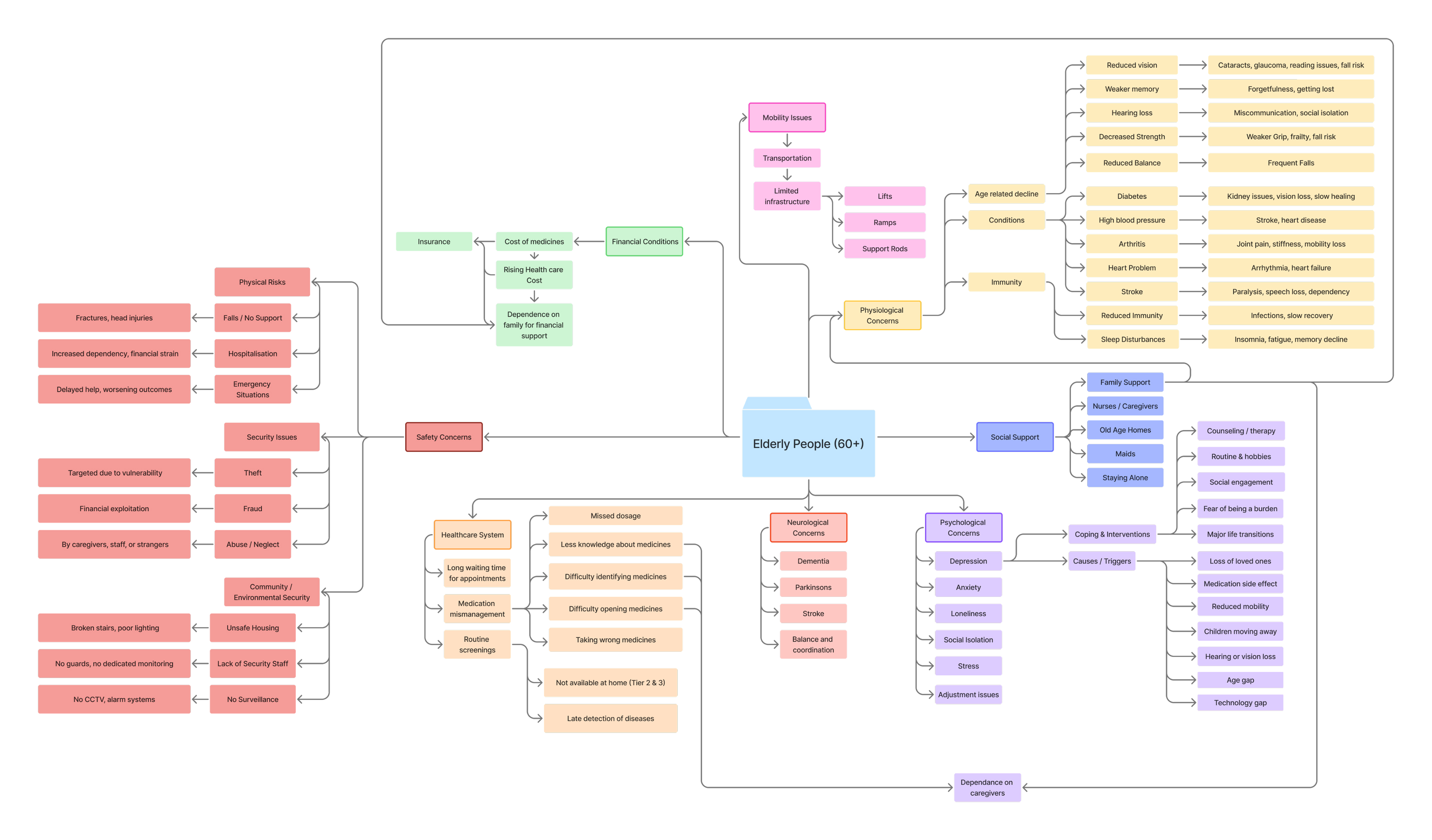
a decade of literature narrowed the focus to two areas: physiological decline and outdoor safety, since hypertension and diabetes alone account for ~68% of chronic conditions among india's elderly.
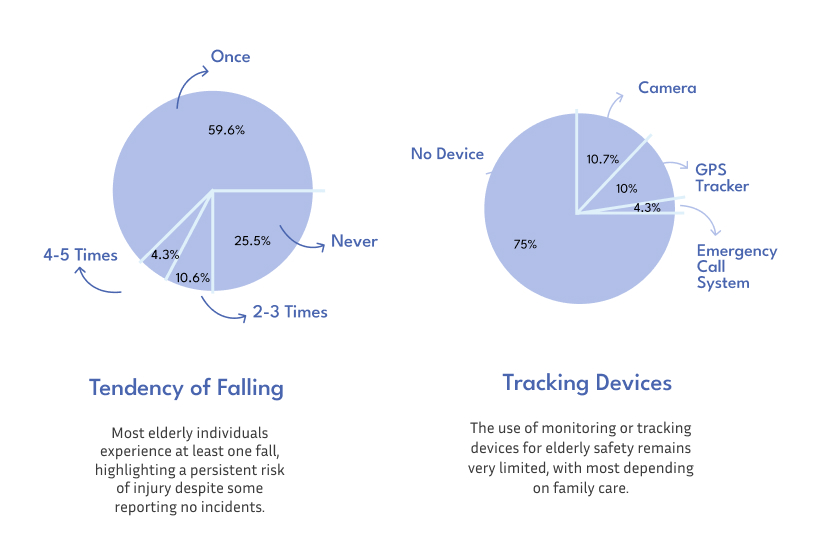
we surveyed 50 participants and ran 17 empathy interviews with seniors and caregivers. 59.6% had fallen at least once, most felt unsafe navigating public spaces alone, and 75% had no tracking device, relying entirely on family to know they were safe.
existing products - walking sticks, gps smartwatches, panic-alarm keychains - each solved one piece of the problem, but none combined location, health monitoring, and emergency response in one affordable device. that gap became wellnest's starting point.
solution
we developed wellnest, a connected device-and-app system.
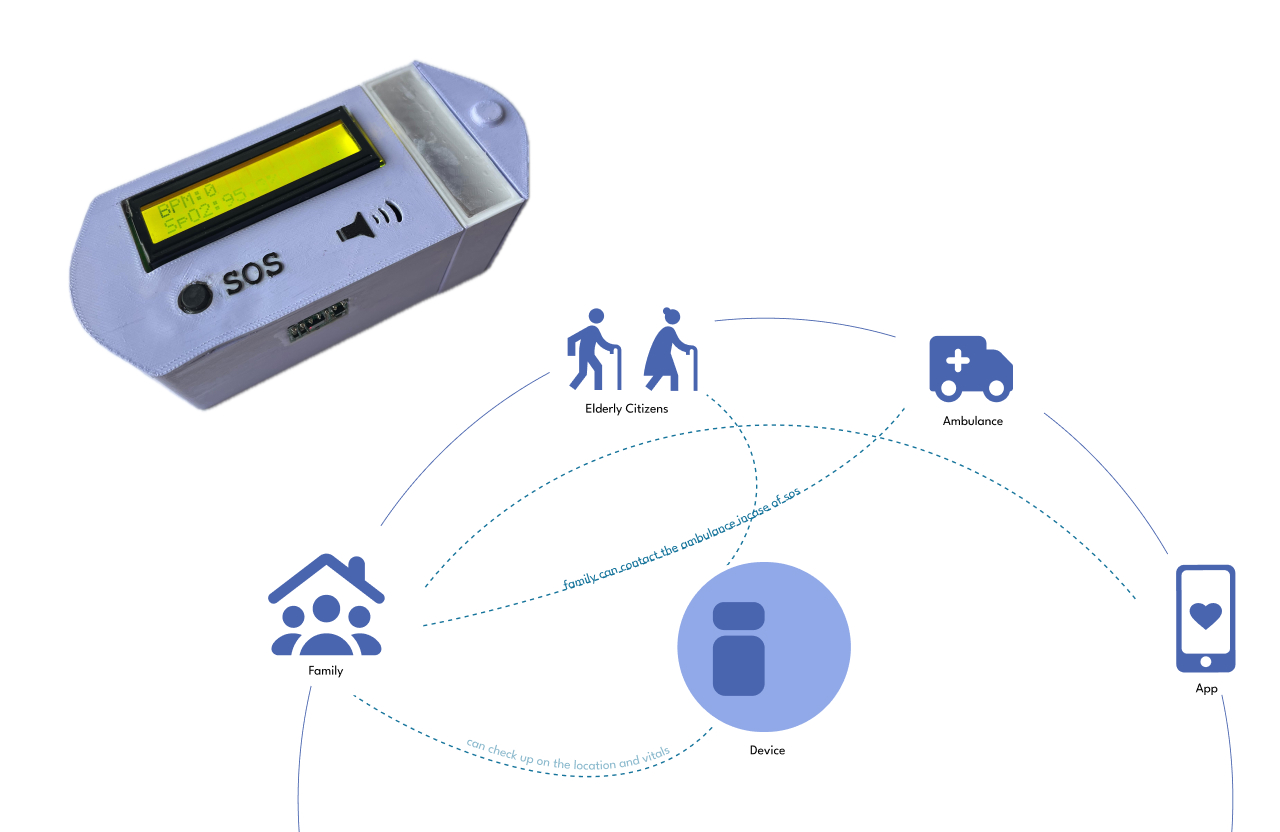
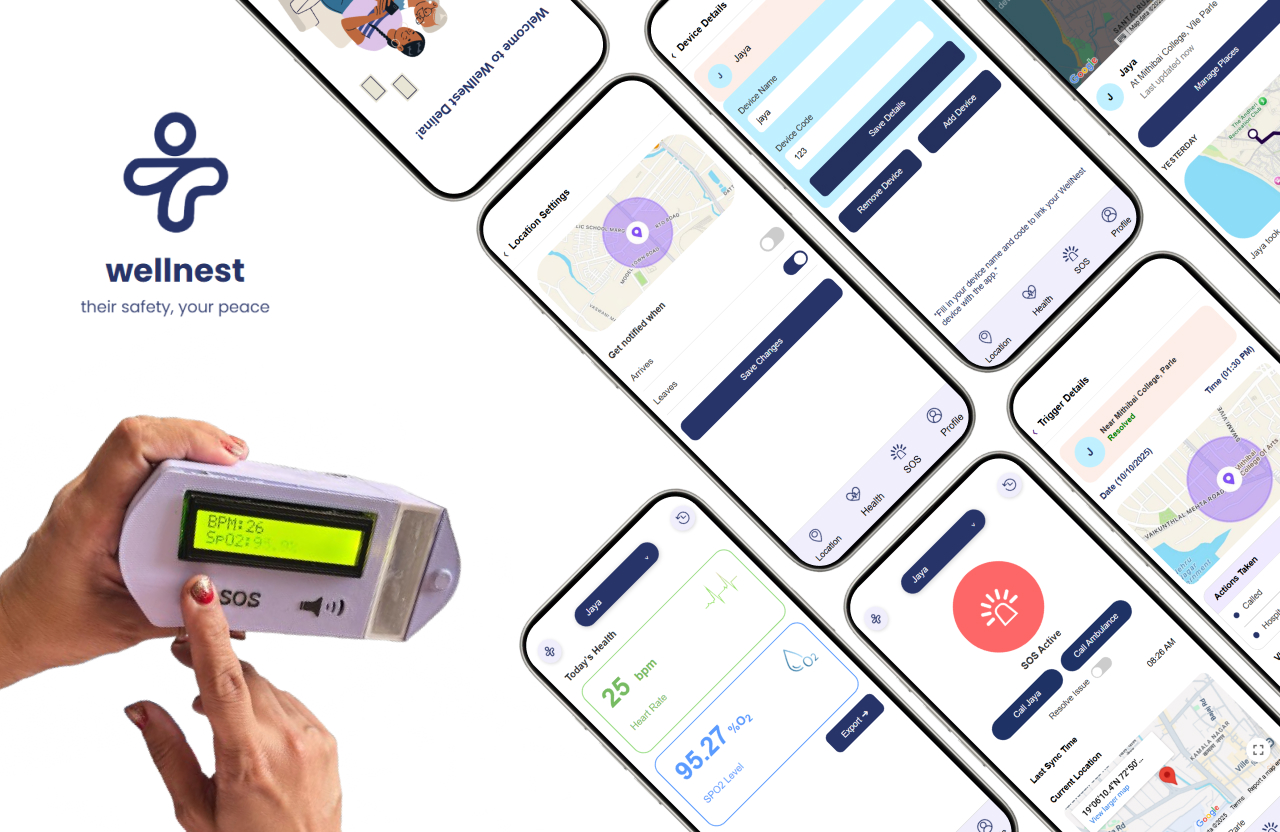
a pill-shaped device and app for senior safety and everyday health monitoring. it combines gps tracking, fall detection, pulse and oxygen monitoring, an sos button, and a pill compartment in one compact form, alerting caregivers with location and vitals when triggered.
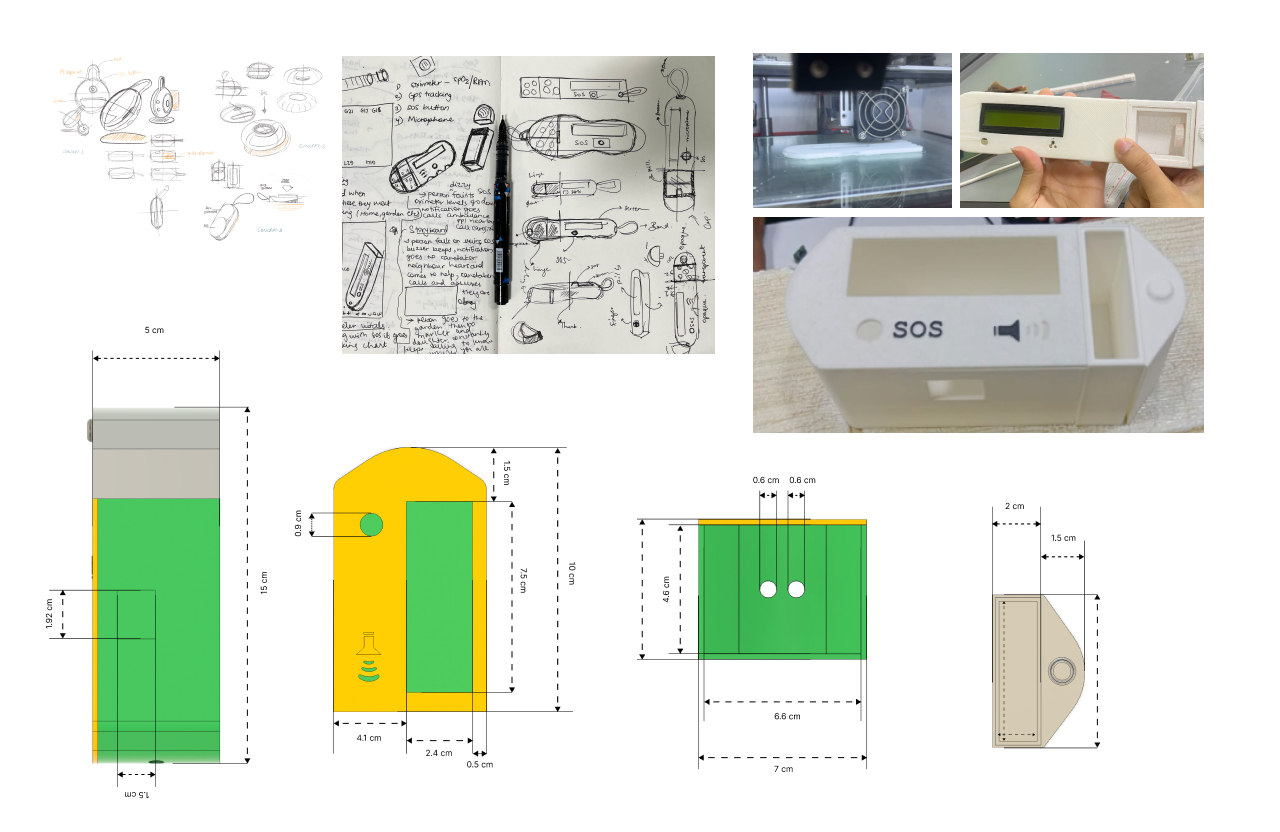
the form went through 20+ sketches and multiple 3d-printed iterations, refining dimensions, wall thickness, button placement, and the pill compartment for a lighter, more practical device - built as a proof of concept within the project's technical and budget constraints.
how the system worked
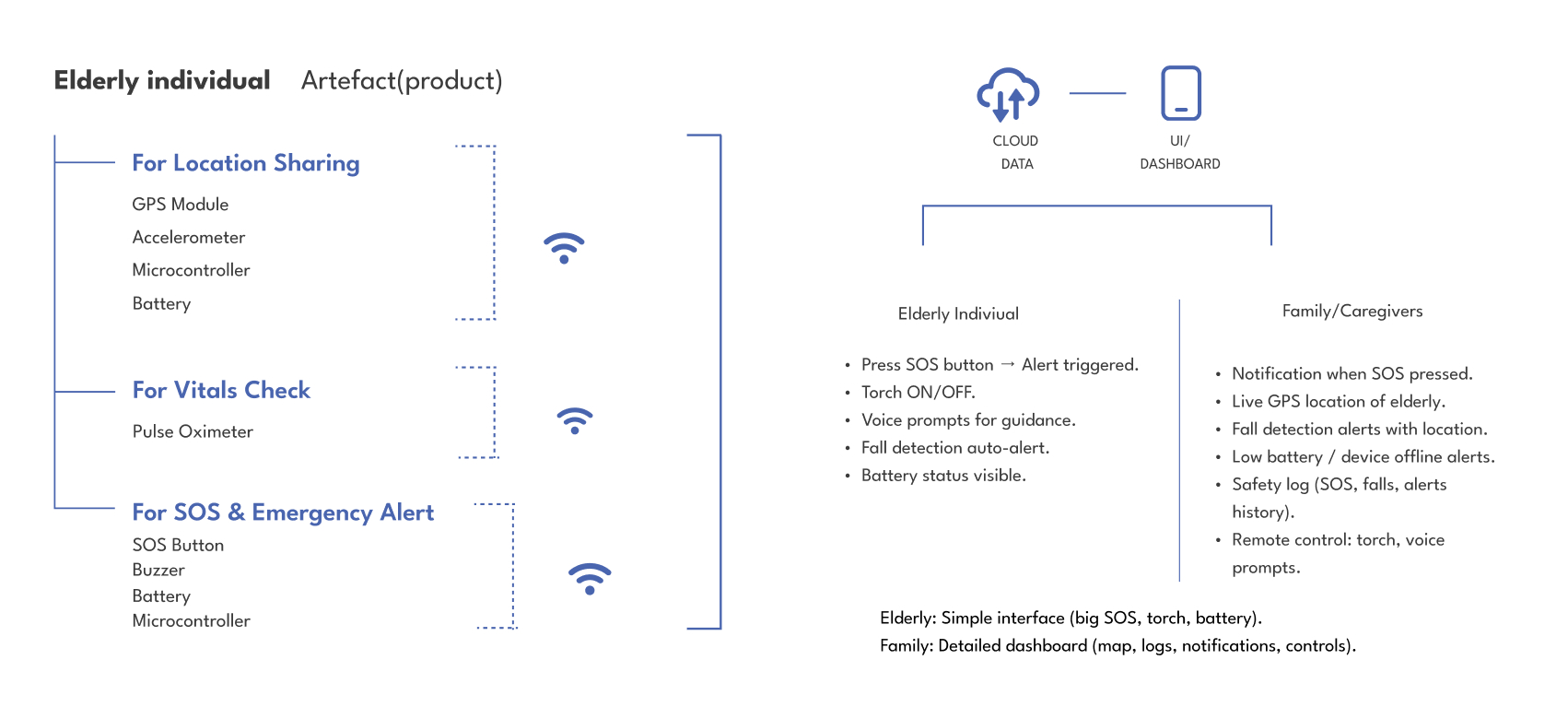
- esp32 - acted as the central controller, reading sensor data and sending it to the cloud over wi-fi.
- accelerometer + pulse oximeter - captured movement, fall-related activity, spo₂, and pulse data.
- gps module - provided the person's live location, particularly during an sos situation.
- sos button - triggered a local buzzer and audio recording while sending an alert with the person's location and vitals.
- wellnest app - organized location, vitals, sos alerts, and profile/settings, with support for multiple elderly profiles.
initial app screens
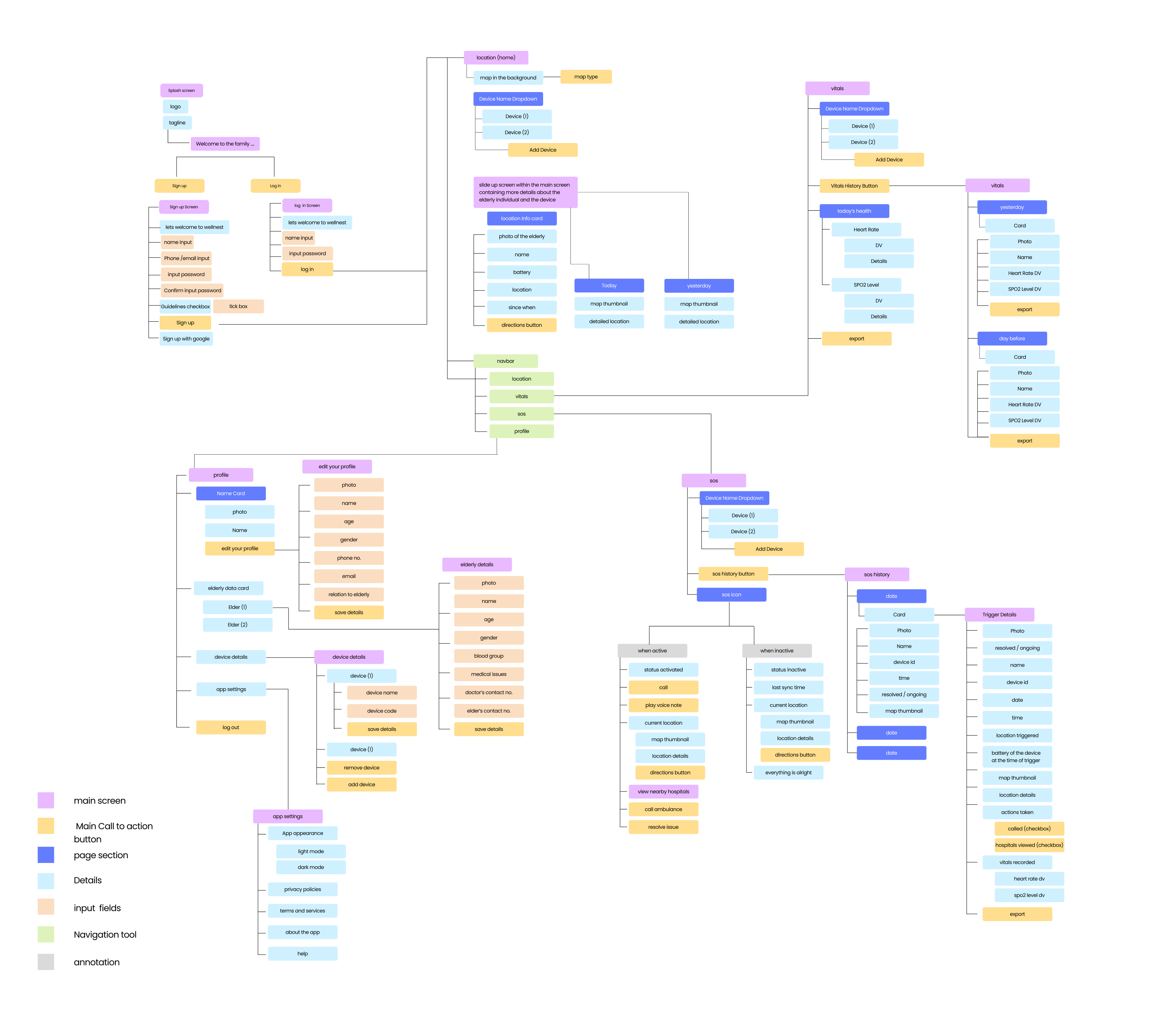
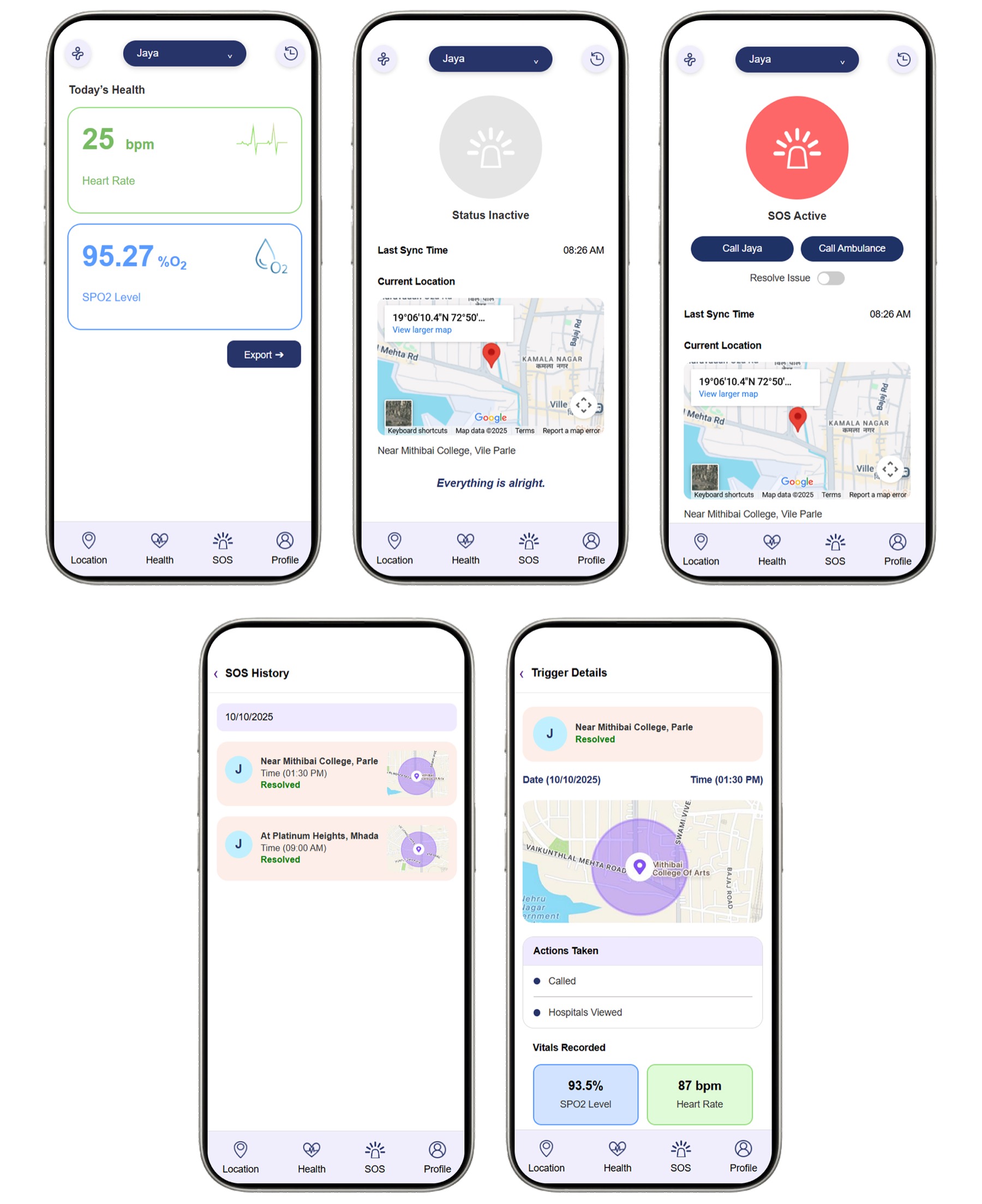
information architecture shaped the flow and navigation, which fed into the mid-fi screens.
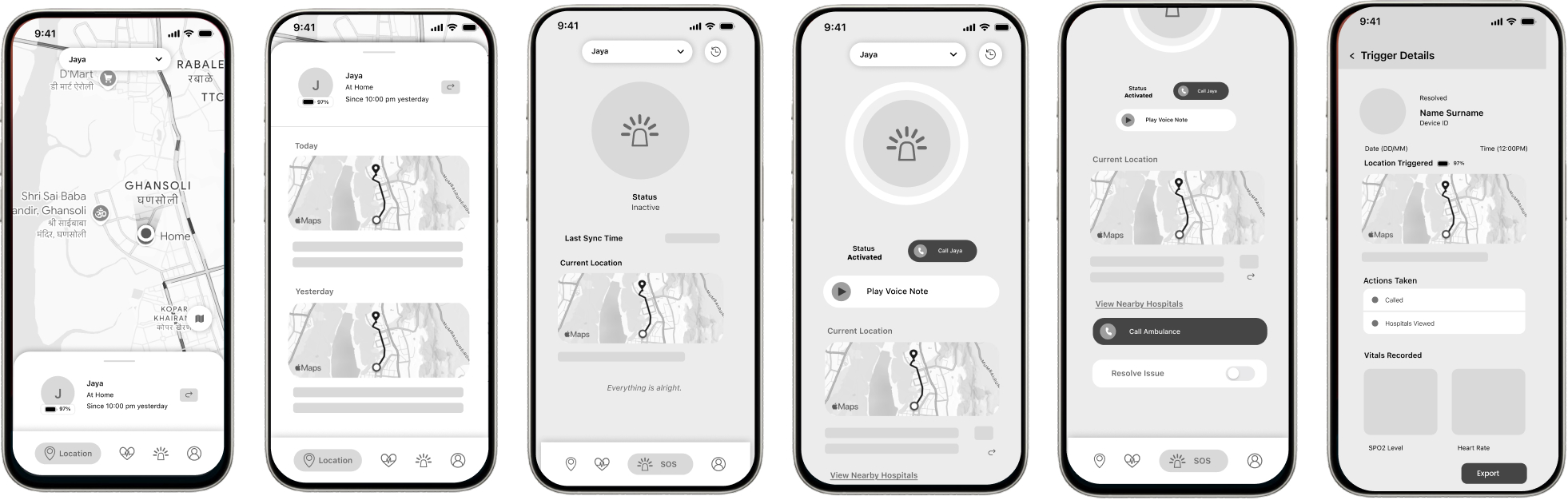
the wellnest app
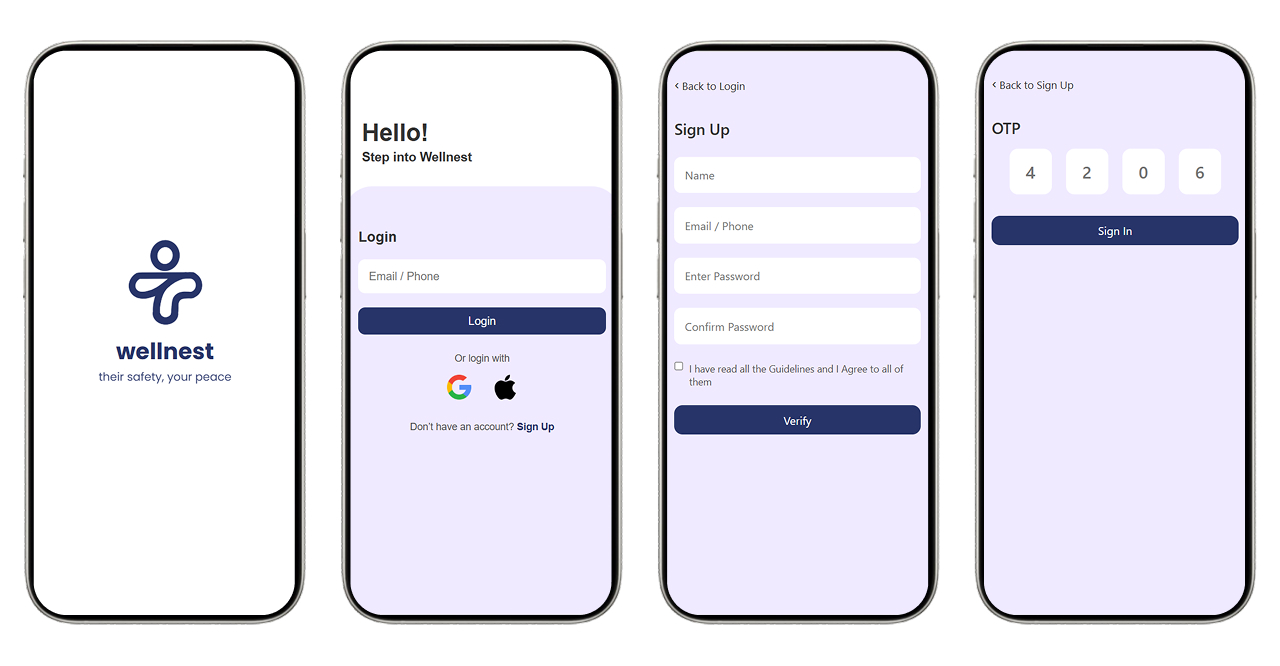
login & signup - a splash screen leads to the login page. first-time users sign up, enter their details, and verify via otp.
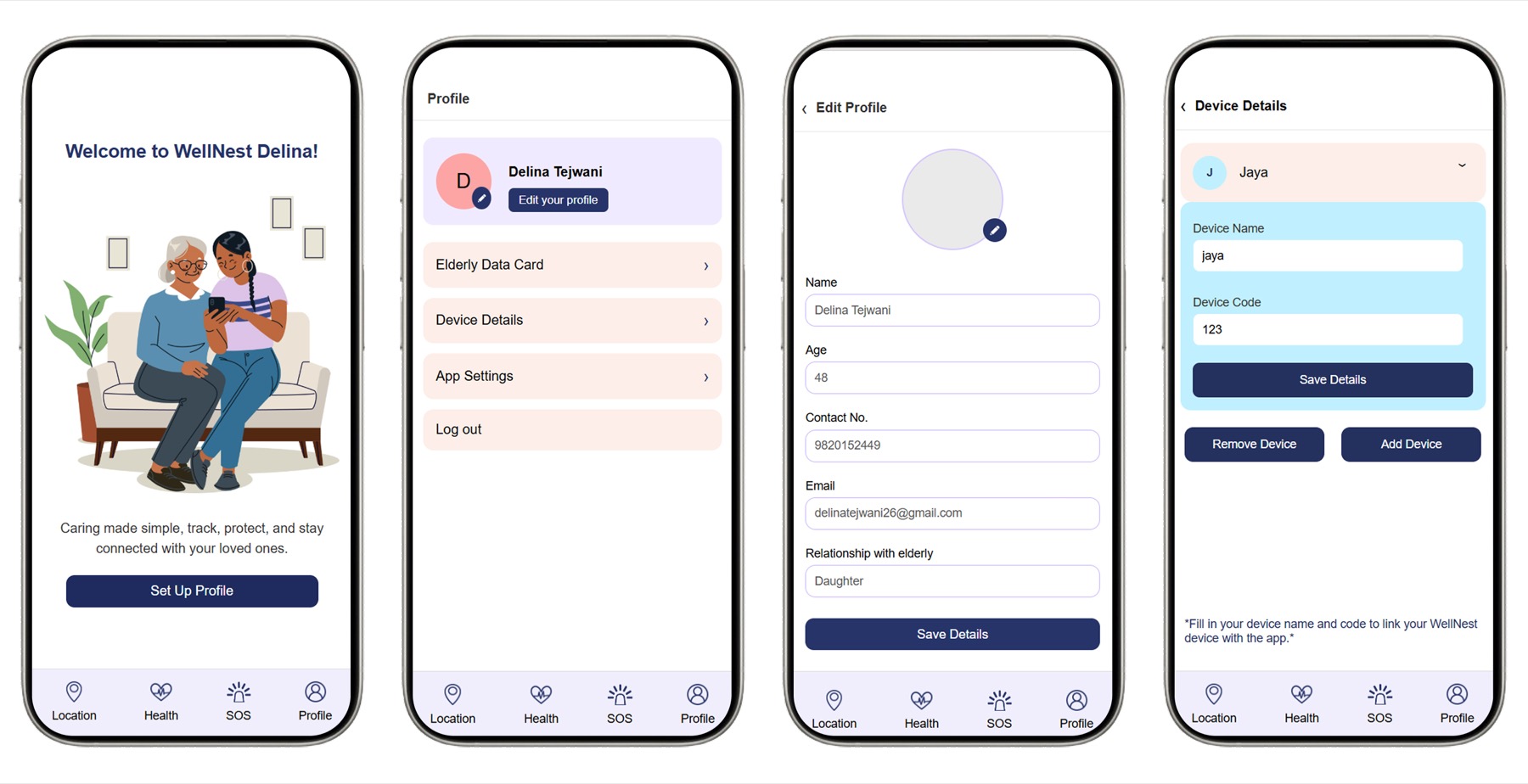
setting up profile - after a one-line intro, new users set up their profile, an elderly data card (age, blood group, contact number), and the device details needed to sync with wellnest.
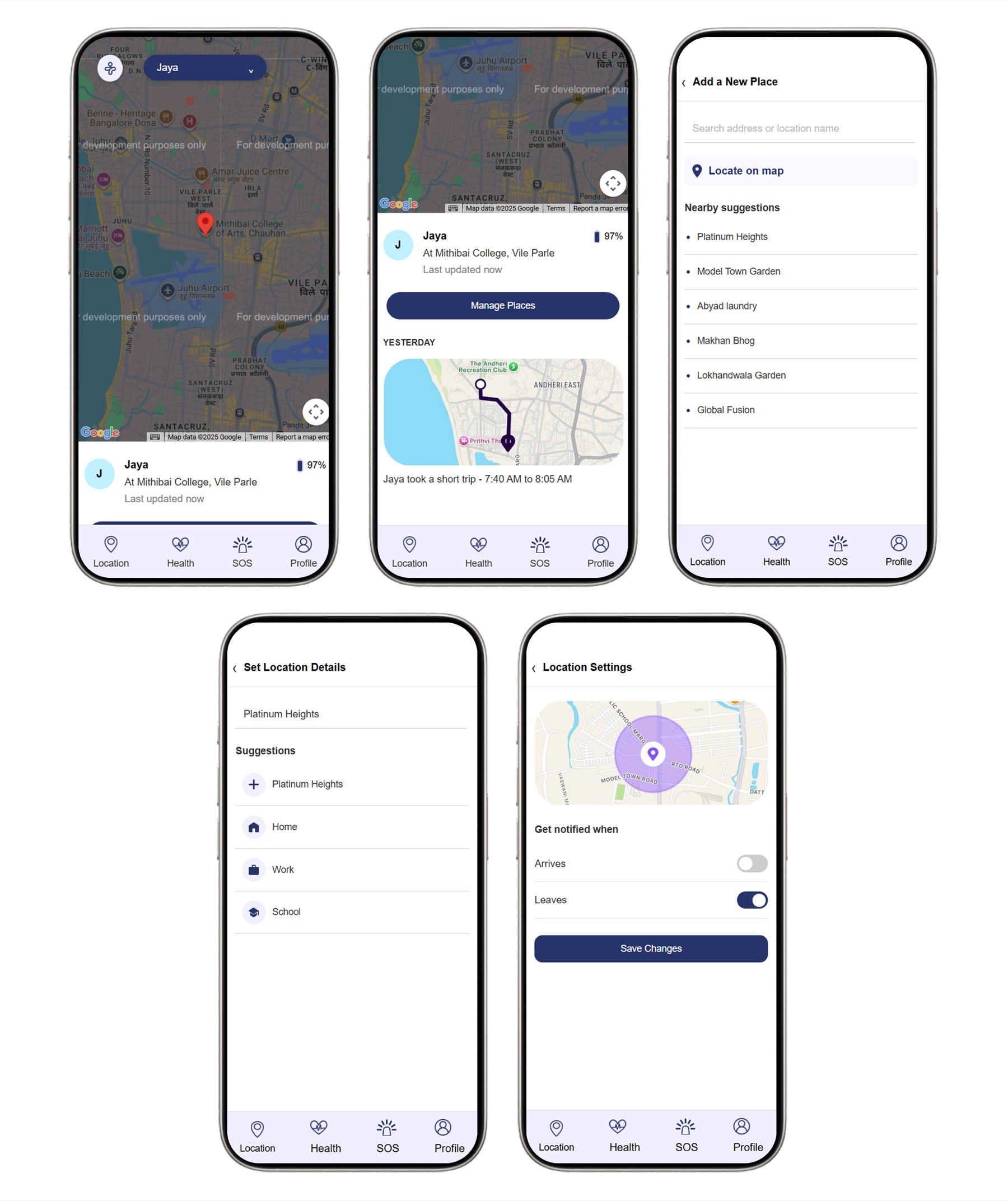
location tracking - the home screen shows live location and trip history. users can label frequent places and get notified when the person arrives at or leaves them.
vitals & sos - the app tracks pulse and oxygen continuously. pressing the sos button alerts the caregiver with live location, letting them call the person or an ambulance. an sos history logs where each alert triggered, what action was taken, and the vitals at that moment.
usability testing
the high-fidelity prototype was tested with elderly participants and caregivers, focusing on ease of use and the reliability of the sos button, gps tracking, pill box, and vitals monitoring.
tasks - participants carried the device, pressed sos, opened the pill box, and checked vitals, while caregivers used the app to see how fast alerts came through.
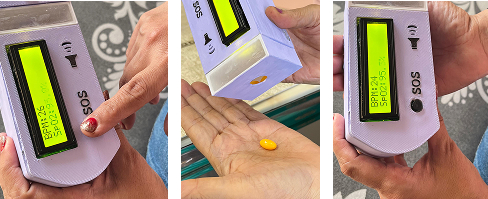
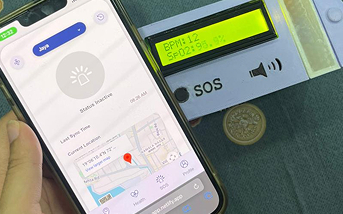
what worked - response was positive overall: the large, tactile sos button was easy to press in an emergency, the vitals display's clear layout made checking metrics effortless, and the pill box was valued by those on regular medication. caregivers found real-time alerts and gps tracking reassuring.
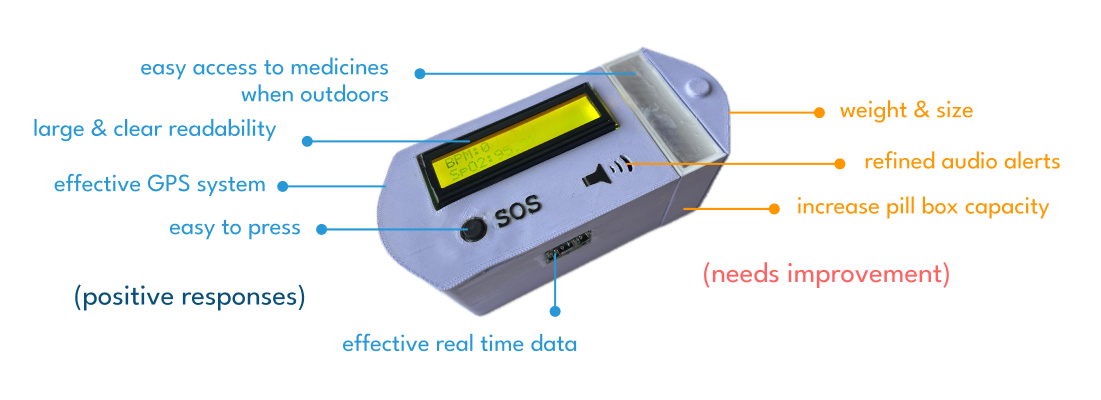
what needs work - suggested refinements: a larger pill box, audio alerts, and a lighter device for daily comfort. even participants less familiar with technology found the one-touch sos intuitive.
my contribution
my role covered both the physical product and digital experience.
- designed the device in fusion 360 and oversaw its 3d printing, iterating on dimensions and prototypes.
- designed the caregiver-facing app experience.
- worked on the screen flow for viewing recorded vitals.
- designed the sos interaction and alert experience.
- designed the live-location experience.
- helped select the system's electronic components and sensors, and worked on the tech plan.
key learning
this project introduced me to the complexity of a connected physical-digital system - the hardware, sensors, software, data, interactions, and emergency scenarios all have to work together, not just a device paired with an app.
hardware also means constant trial and error - every change on the physical side, a dimension, a component, a sensor placement, affected connectivity and data, so progress came from repeated testing rather than getting it right the first time.